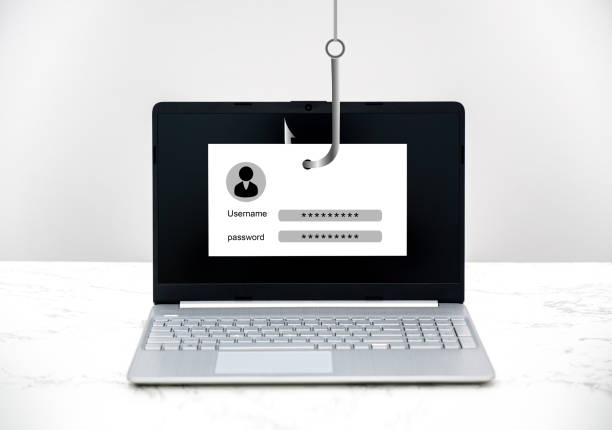
Fake Router Security Update Calls
Scammers have perfected the art of impersonating reputable companies, and fake router security update calls are one of their most effective current tactics. These calls target middle-class Americans in their prime earning and saving years—people aged 45 to 64 who own homes, pay bills online, and trust official-sounding phone calls. The goal is not to fix your router. The goal is to trick you into granting remote access to your computer, giving the scammer complete control over every keystroke, file, and financial account you have.
The scam usually begins with what is called a “cold call.” You did not report a problem. You did not request support. The call comes out of the blue, often from a spoofed number that appears on your caller ID as your actual internet provider. The scammer’s voice is professional, urgent, and firm. They may even have pieces of your personal information, like your name, address, or the router model you use. This information is often harvested from data breaches or public records. The urgency is deliberate. They want you to act before you think.
Once you agree to help, the scammer instructs you to open a website and download a remote access tool. Legitimate companies like GoToMyPC, TeamViewer, and AnyDesk are commonly used because they are widely available and trusted. The scammer may call it a “security patch installer” or a “diagnostic tool.” Once the software is running, you are asked to enter a code that gives the scammer full control of your screen. From this moment, you have lost control of your digital life.
With remote access, the scammer can do several things. They may open your bank’s website, log in with credentials they trick you into revealing, and transfer money out. They may access your email to reset passwords on other accounts. They may install malware that logs your keystrokes for weeks or months, sending your login details to a criminal network. Some scammers will even pretend to find a “refund error” in your account and then ask for your credit card number to reverse it—a classic double theft. Others will lock your computer with ransomware and demand payment to unlock it.
Real router security updates do not happen over the phone. Major internet providers like Comcast, Spectrum, AT&T, and Verizon do not call customers unsolicited to demand remote access. If a genuine security patch is required for your router, the update is applied automatically by the manufacturer or your ISP. You do not need to download software or allow a stranger into your computer. The entire premise of the call is a fabrication.
If you receive such a call, the safest response is to hang up immediately. Do not engage. Do not argue. Do not press any numbers. Scammers often record voices and keystrokes for future fraud. If you are concerned that your router actually has a problem, call your internet provider directly using the phone number on your monthly bill or the company’s official website. Do not call back the number that called you. That number is fake.
Victims of this scam typically lose between several hundred and several thousand dollars, but the damage does not stop there. Once a scammer has accessed your computer, they may sell your information on the dark web or use it to file fraudulent tax returns, apply for loans in your name, or drain your retirement accounts. The emotional toll is also significant. Many victims feel embarrassed, ashamed, and violated. You are not foolish if you fall for this. These criminals are professionals who run call centers, use scripts refined over years, and operate from jurisdictions where law enforcement cannot reach them.
To protect yourself, remember one simple rule: never give remote access to your computer to anyone who calls you uninvited. Not your bank. Not your ISP. Not Microsoft. Not your antivirus company. If a caller pressures you to act quickly, that is the biggest red flag. Legitimate security issues give you time to verify. Scammers do not. If you have already fallen for this scam, contact your bank immediately to freeze accounts, change all your passwords from a clean device, run a full antivirus scan, and file a report with the Federal Trade Commission at ReportFraud.ftc.gov.
Staying ahead of these criminals requires skepticism. The next time the phone rings and a stranger offers to fix your router, let the call go to voicemail. Silence is your safest firewall.
Scam Watch
Protect it before they take it.

The New Face of Identity Theft: Why Synthetic Identity Fraud Targets You

The Phantom Rental Listing: How Scammers Use Fake Apartments to Steal Your Deposit Money