The Email That Looks Exactly Like Your Bank
This scam has been around for years, but it keeps working because criminals have gotten disturbingly good at mimicry. They copy the exact color schemes, the official language, and even the email header details that most people never check. The goal is simple: get you to click a link that leads to a fake login page. Once you type your username, password, and two-factor code, they own your account. The email that looks exactly like your bank is not your bank. It is a digital pickpocket dressed in a three-piece suit.
Let’s walk through how this works, because knowing the mechanics is the best defense. A scammer will either send a mass email to thousands of addresses or target individuals using leaked data. The email often warns about a “failed login attempt” or a “new device added to your account.” That wording triggers panic. Panic bypasses logic. You click the link, and the landing page is a near-perfect replica of your bank’s login portal. When you enter your credentials, the scammer captures them in real time. Some even forward you to the real bank site afterward, so you think nothing went wrong. By the time you notice money missing, it is gone.
There is a reason this lands in the Phishing Hall of Shame. It preys on trust and urgency. Middle-class Americans aged 45 to 64 are prime targets because they often have established accounts with multiple banks, retirement savings, and a sense of financial responsibility. Scammers know you care about your money. They use that care against you. They also know that older adults may be less familiar with how to inspect email headers or recognize that a bank will never ask for your password via a link.
Spotting the fake requires a shift in mindset. Never click a link in an unexpected email. Instead, open a new browser tab and type your bank’s web address manually. Call the number on the back of your debit card. Use your bank’s official app. The extra thirty seconds it takes will save you weeks of financial recovery. Also examine the sender email address. A real bank email comes from something like “alerts@chase.com,” not “alerts.chase.security@webmail.ru.” The name displayed in your inbox can be faked, but the actual email address is harder to spoof.
Grammar and spelling are no longer reliable red flags. Many of these emails are now written by native speakers or refined by AI. The best rule is this: if an email creates a sense of urgency, assume it is a scam. Banks will send you alerts, but they will never ask you to “verify” your account by clicking a link. They already have your information. They do not need you to resupply it.
If you have already fallen for this scam, act immediately. Call your bank’s fraud department. Change your password using the official site. Check for any unauthorized transactions. Then freeze your credit with all three bureaus if you suspect identity theft. Do not be embarrassed. This scam has caught financial professionals, lawyers, and even security experts. The difference between a victim and a survivor is how quickly you act.
The email that looks exactly like your bank is a masterpiece of deception. It is designed to look safe in the one place you feel secure: your own inbox. The only way to beat it is to trust nothing that arrives uninvited. Your bank will never email you a link that saves you from fraud. The real protection is in your own skepticism. Keep that wallet closed. Keep your login fingers still. And when that urgent warning pops up, remember the truth: no real emergency ever begins with a link.
Scam Watch
Protect it before they take it.

Gas Pump Skimmers: The Silent Credit Card Thieves
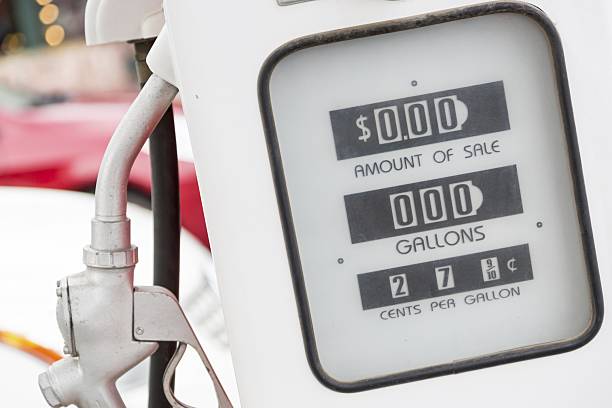
Gas Pump Skimmers: How Thieves Steal Your Credit Card Numbers and Rewards Points