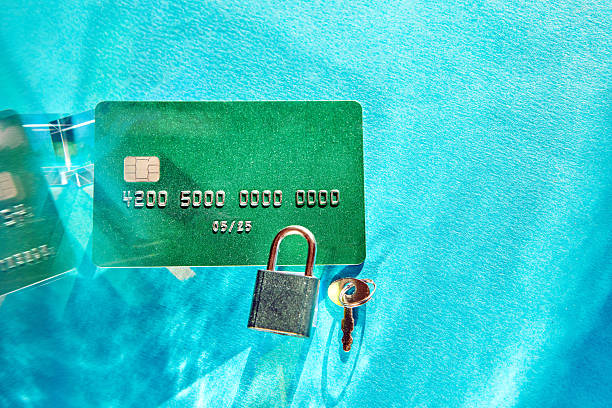
The Fake Bank Fraud Alert Text That Can Empty Your Account
The fake fraud alert works because real banks do send fraud alerts. That makes the lie believable. Your bank might text you to confirm a suspicious charge. But a real bank will not ask you to click a link in a text, call a phone number from a text, give your password, give your PIN, read back a one-time code, or download software. Those are the warning signs. If the message pushes you to “verify now” or “avoid account closure,“ slow down. Urgency is the scammer’s main tool. They may threaten you with frozen funds, legal action, or a lost paycheck. They may also spoof the caller ID so the number looks like your bank’s real number. Do not trust the name or number on your screen.
The safest response is simple. Do not reply to the text. Do not click the link. Do not call the number in the message. Instead, open your bank’s official mobile app, or call the customer service number printed on the back of your debit or credit card. Ask a simple question: “Is there a fraud alert on my account?“ If the answer is no, delete the text. If you want to report it, forward the message to 7726, the short code used by wireless carriers to report spam. Then delete it. If you already clicked the link, close the browser and do not enter any information. If you entered your username and password, call your bank right away and change your password. If you gave a one-time code, call your bank immediately. That code may have allowed the scammer to log in or approve a transfer. Speed matters because transfers through Zelle, wire, or bill pay can be hard to reverse once the money leaves.
Some fake bank texts are more specific. One says a Zelle payment is pending and you must click to cancel it. Another says your debit card is locked and you need to unlock it. Another says a new device has logged in, or a wire transfer is scheduled. The link leads to a fake bank page that looks almost perfect. It captures whatever you type. Then the scammer uses your real bank’s website to trigger a real security code. When you read that code to the fake fraud agent, you hand over the final key. In other versions, the scammer asks you to install a remote access app so they can “fix” the problem. Once installed, they can see your screen, control your device, and move money. Never install software for someone who contacted you by text or phone. Real bank employees do not need remote access to your computer or phone.
Protect yourself before the next text arrives. Use your bank’s official app and turn on account alerts for every transaction over a small amount. That way you will know about real fraud quickly. Use a different password for your bank than you use for email, shopping, or social media. If your bank offers an authenticator app or hardware security key, use it instead of text-message codes. Text codes can be intercepted or tricked out of you. Consider a password manager to keep track. If you are not sure whether a message is real, hang up and call the number on your card. Tell your spouse, adult children, or friends about the scam. Embarrassment keeps people silent, and silence helps scammers. Report the text, report the loss, and check your credit reports. The rule to remember is short: no link, no number, no code. Verify through a channel you choose, not one the text gives you.
Scam Watch
Protect it before they take it.

The Hard Truth About Debt Settlement Companies
How Retailers Use Fake “Was” Prices to Fool You Into Spending More