The Bank Fraud Alert Text That Will Drain Your Account: How to Spot and Stop Smishing
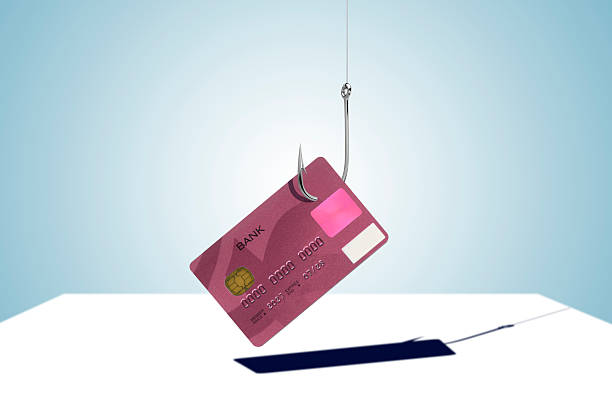
This is smishing—a combination of “SMS” and “phishing.” It is one of the fastest-growing consumer scams in America because it bypasses your email spam filters and lands directly in the one place you trust most: your phone. Scammers know that middle‑aged Americans tend to be more cautious about their finances than younger generations, and they use that caution against you. They exploit your fear of losing money to trick you into giving them access to the money you actually have.
The typical smishing attack starts with a spoofed phone number. The text might appear in your existing message thread from a bank you actually use, because the scammers have forged the sender ID. The message creates urgency. It says your account will be frozen, a large purchase is pending, or your debit card has been compromised. That urgency is the hook. You are not supposed to think; you are supposed to react.
If you call the number in the text, a very convincing fake bank agent answers. He or she will ask for your full account number, your Social Security number, your online banking password, and even the one‑time passcode that your real bank just sent to your phone. That passcode is the golden key. Once the scammer has it, they log into your account, transfer money to a mule account, or buy prepaid gift cards. The transaction is gone in seconds.
Alternatively, the text may contain a link that looks like your bank’s website but is actually a perfect copy hosted on a domain like “chase‑secure‑alert.com” or “wellsfarg0‑verify.net.” Clicking that link installs malware on your phone or takes you to a fake login page that captures your credentials. Either way, the result is the same: your money disappears and you have almost no way to get it back.
Why do these attacks work so well on people aged 45 to 64? Because many in this demographic remember a time when unsolicited phone calls were the main threat, and they have become reasonably good at hanging up on telemarketers. But text messages feel different. They feel personal. Your phone is a private device, and a message that appears to come from a known number feels legitimate. Also, people in this age group tend to have more savings, more home equity, and more established credit, making them juicier targets. The scammers are not random; they buy lists of phone numbers associated with certain banks or regions, and they send thousands of texts hoping to catch even one or two people who panic.
The most important thing you need to understand is that legitimate banks and credit unions never send text messages asking you to confirm sensitive information, call a random number, or click a link to verify an account. If there is a real problem, they will mail you a letter or ask you to log in to your account the way you always do—by typing the bank’s URL into your browser yourself. They will not ask for your password, PIN, or one‑time passcode over text.
Spotting a smishing text is not difficult once you know what to look for. First, check the phone number. Genuine bank alerts come from short codes like 47268, not from a random ten‑digit number you have never seen. Second, look for typos or odd grammar. Scammers often rush their messages and make mistakes. Third, watch for threats or extreme urgency. No real bank will say “respond immediately or your account will be closed.” Fourth, never click the link. Even if the message looks spot‑on, do not tap it. Instead, open your banking app or go directly to the bank’s website and check your recent activity.
If you receive a suspicious text, do not reply to it. Not even with “STOP” or “NO.” Replying confirms your number is active and will result in more smishing attempts. Instead, forward the entire text to 7726 (SPAM) on your carrier, then delete it. Then call your bank using the number on the back of your debit card—not the number in the text—to report the scam. If you have already clicked a link or given out information, call your bank immediately and place a freeze on your account. Also contact the three major credit bureaus and put a fraud alert on your credit file.
Smishing is not going away. Scammers are refining their techniques, and they now spoof messages that appear in the same thread as your real bank alerts. They even use your name and partial account number—data they buy from data breaches. The only defense that works every time is skepticism. When you receive any unsolicited text about your money, assume it is a lie until you prove otherwise. Take a breath. Do not let the panic override your common sense. The five seconds you spend verifying the message could be the five seconds that keep your entire savings safe.
Scam Watch
Protect it before they take it.


Upfront Fee Modeling Agency Scams Over 50
Mortgage Escrow Account Shortages: How Servicers Quietly Raise Your Payment