The Fake Microsoft Alert Scam: How Strangers Take Over Your Computer and Your Bank Account
This is the classic remote access tech support scam, and it is one of the most effective frauds targeting middle-class Americans in their fifties and sixties. The scammers rely on two things: your fear of losing your data and your trust in a big brand name. They do not need to be hackers. They simply need you to believe them.
The scam usually starts with a pop-up ad or a browser notification. It looks genuine because the scammers have paid for fake ads that mimic real security warnings. The message says your computer is at risk and gives a toll-free number. Alternatively, you might receive a phone call from someone claiming to be from “Windows Support” or “Norton Security.” They say your computer has been sending error reports and they need remote access to fix it. The caller ID may even show a legitimate-sounding number, but that is easily faked.
Once you give them permission to connect, they use legitimate remote access software like TeamViewer, AnyDesk, or Quick Assist. These programs are designed for IT professionals to help you, but in the wrong hands they become a backdoor. The scammer can see everything on your screen, type into your bank website, download your files, and install malware that records your keystrokes. While they talk you through the process, they open system tools like Event Viewer or Command Prompt. To you, the red and yellow warnings look like serious problems. To them, they are just normal system logs that every computer has. They will tell you those logs are evidence of hacking, but they are lying.
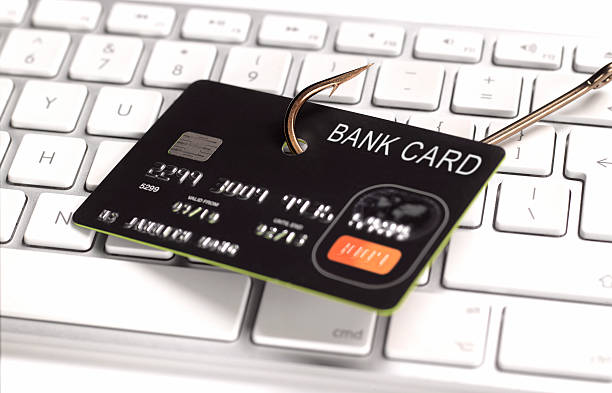
After the fake diagnosis, the scammer asks for payment. They prefer gift cards, wire transfers, or cryptocurrency because those methods are hard to trace. They may also ask for your credit card number to process a “refundable deposit.” Once they have your card details, they drain your account or make unauthorized purchases. Even if you refuse to pay, they have already installed remote access software that lets them come back later. They can also install ransomware, locking your files until you pay a larger sum.
Why does this scam work so well on people over 45? Because many of you grew up before the internet was common. You remember when a phone call from a company meant real help. You are less likely to question a professional voice on the phone. You also value your computer and worry about losing family photos, financial records, and work documents. Scammers know that fear makes you act quickly without thinking.
Protecting yourself is straightforward. Never trust a pop-up warning that gives you a phone number. Real security alerts from Microsoft or Apple will not ask you to call a number; they will direct you to a standard update or scan in your settings. If you see a warning, do not click it. Close your browser entirely or restart your computer. If you are unsure, open your antivirus software yourself and run a scan. Never give remote access to your computer to someone who contacted you first. If a company needs to help you, you call them using the number on their official website, not the one in a pop-up or a phone call.
If you have already been scammed, do not feel ashamed. Call your bank or credit card company immediately to stop payments and reverse charges. Change your passwords for email, banking, and any other accounts. Run a full antivirus scan. Remove any remote access software you installed during the scam. Then report the incident to the Federal Trade Commission at ReportFraud.ftc.gov or to your state attorney general’s office.
The most important thing to remember: no legitimate tech support company will ever call you out of the blue or put a scary pop-up on your screen demanding immediate action. They do not work that way. Hang up the phone, ignore the warning, and walk away. Your computer is almost certainly fine. Your bank account will be much safer if you do.
Scam Watch
Protect it before they take it.

Synthetic Identity Theft: The Silent Scam That Could Ruin Your Credit

The Silent Theft: How Gift Card Tampering Drains Your Wallet