The ’Your Account Has Been Suspended’ Email Is a Phishing Favorite
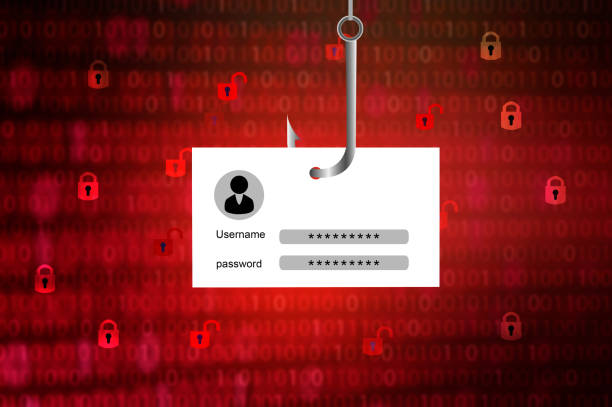
This is the account suspension phishing scam. Its goal is to steal your login credentials. The button leads to a fake login page that looks identical to the real one. You type your email and password. As soon as you hit Verify, the scammers capture that information. Then they log into your real account to empty your money and access your other services.
Why does this scam work on people aged 45 to 64? Because you have more at stake. You manage mortgages, retirement accounts, and decades of personal emails. The scammers know a threat to your account triggers an immediate fear reflex. They turn off logic. They create a countdown clock. “You must act now” is their weapon.
Fortunately, you can disarm them by checking for four red flags. The first is the sender’s email address. Look at the actual domain after the @ symbol. A real notice from Chase Bank will come from an address ending in “chase.com.“ A phishing email will use something like “chase-security-alerts@gmail.com” or “chase.bank.secure@gmail.net.“ The display name can say anything, but the address does not lie.
The second red flag is the link. Hover your mouse over any button or hyperlink without clicking. Your browser will show the destination URL in the bottom corner. If that URL is not the official company domain, do not touch it. A scam address might contain the company name in a clever way, such as “chase.com.login-secure.xyz.“ That domain ends in “.xyz,“ not “.com.“ The real company has no control over that domain.
The third red flag is the request for personal information. No legitimate bank or service provider will ask you to confirm your full password, PIN, or Social Security number through an email link. They already have your information. If they detect a real problem, they will ask you to log in through their official website on your own. The fix is always one step away from the email itself.
The fourth red flag is the language. Phishing emails are full of grammatical errors, awkward phrasing, and generic greetings like “Dear user” or “Dear customer.“ A real company knows your name and uses it. The email might also mention “unusual activity” but give no specific details. That is because the scammers do not know what device you normally use. They are spraying thousands of identical emails into the wind, hoping a few hit someone who panics.
So what should you do if you already clicked and typed your password? Do not panic. Take a deep breath. Panic makes you slow. Change that account’s password immediately from a mobile device or a clean browser. Use the official app. Then change the password on any other account that uses the same email and password combination. Scammers will try those stolen credentials on PayPal, Amazon, and social media within minutes. Turn on two-factor authentication everywhere that offers it. This requires a code sent to your phone, so a stolen password alone will not let the scammer in. If the account was for a bank, call the number on the back of your credit card to place a fraud alert. Report the phishing attempt to the Federal Trade Commission at ftc.gov/complaint and to the Anti-Phishing Working Group at apwg.org. Those reports help shut down fake domains.
Remember the golden rule: legitimate companies do not send urgent email links that demand your password. If you get such a message, always close it. Open a new tab and go straight to the company’s website. Log in normally and check for any alerts. You will always find nothing. Then delete that email. A moment of skepticism is far cheaper than months of identity theft. Your digital life deserves that much caution.
Scam Watch
Protect it before they take it.

Sextortion Scams: The Digital Blackmail Threat You Need to Know
The Fake Bank Fraud Alert Text That Can Empty Your Account