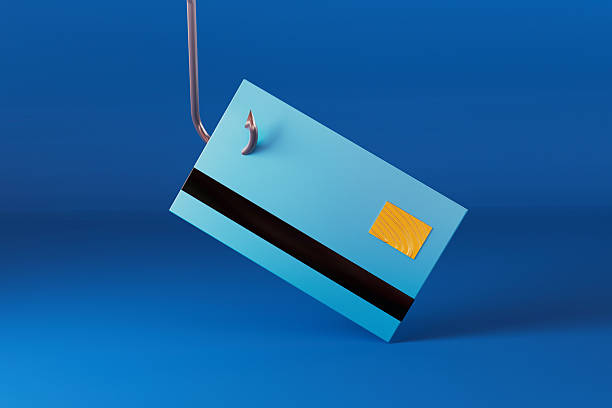
Your Bank Texted You About Fraud? It’s Probably a Smishing Scam
Smishing is short for SMS phishing. It is the same old confidence trick that scammers have been running for decades, only now it arrives in your text message inbox. Older Americans between the ages of 45 and 64 are prime targets because you are more likely to have savings, own a home, and carry credit cards with high limits. Scammers know this. And they know that a fake fraud alert from a bank triggers an immediate emotional reaction that overrides your normal caution. Do not let them rush you.
Here is how the typical fake bank alert smishing play works. You receive a text that appears to come from your bank, credit union, or a major financial institution like Chase, Bank of America, or Wells Fargo. The message says something like “Suspicious activity detected on your account. Verify your identity immediately to avoid suspension.” The text includes a link that looks official but leads to a fake login page. That page is designed to capture your username, password, and sometimes your security questions or one-time passcode. Once you submit that information, the scammer uses it to log into your real account and drain it in minutes. They might even call you pretending to be the bank’s fraud department to confirm the “transaction” while they are already cleaning you out.
You might think you could never fall for something so obvious, but the criminals behind these attacks are professionals. They spoof the sender ID so the text appears in the same thread as legitimate messages from your bank. They use the same language and formatting that real fraud alerts use. They even include your zip code or the last four digits of your account number, which they buy from data brokers for pennies. The goal is to make the message indistinguishable from the real thing.
How do you spot a fake? The most reliable red flag is the link itself. A legitimate bank will never ask you to click a link in a text message to verify your identity or resolve a security issue. Banks use their own apps, secure websites, or phone calls initiated by you to handle fraud alerts. If the text contains a URL, do not tap it. Instead, hover over it on a computer or look closely at the domain. Real bank URLs end with the bank’s actual web address, like chase.com or wellsfargo.com. Smishing links often use misspellings like chas-secure.com, bankofamerica-alerts.net, or wellsfarg0.com. They might also use link shorteners or entirely different domains that have nothing to do with the bank.
Another red flag is urgency. The scammers want you to act before you think. Any message that threatens account closure, a frozen card, or unauthorized charges if you do not respond within minutes is almost certainly a scam. A second red flag is a request for information the bank already has. Real banks never ask for your full Social Security number, your online banking password, or that one-time code sent to your phone because they already know it. If the text asks for any of that, it is a scam.
What should you do if you receive a suspicious bank text? First, do not reply. Do not click. Do not call any number listed in the message. Instead, delete the text. Then open your banking app directly—never through a link—or call the customer service number on the back of your debit card. Ask the representative if there is any legitimate activity on your account. Chances are there is not. If you accidentally clicked the link and entered information, act fast. Change your online banking password immediately. Call your bank’s fraud department and report the incident. Monitor your account for unauthorized transactions for the next several weeks. Scammers sometimes sit on stolen credentials for a while before using them.
To protect yourself going forward, enable two-factor authentication on your bank accounts if you have not already. That way even if a scammer gets your password, they cannot log in without the second factor that goes to your phone or authenticator app. Also consider installing a call and text filtering app on your smartphone. Many phones now have built-in spam protection that will flag suspected smishing attempts. And never save your online banking password in your phone’s browser or text messages where it could be accessed by malware.
Smishing is not going away. The scammers are getting better at making texts look real, and they are using artificial intelligence to generate messages that sound exactly like a human fraud analyst. The best defense is a simple rule you can remember: your bank will never ask you to confirm your identity by clicking a link in a text. If you get one, ignore it. If you are worried, call them yourself. That one pause could save your life savings.
Scam Watch
Protect it before they take it.

How to Spot Appliance Repair Scams Before They Cost You Hundreds

The Guaranteed Retirement Income Pitch That Can Wipe Out Your Savings